Automation Reliability
A temporary timeout, a missing input and an access failure call for different responses. A single continue-on-error rule can hide work that never completed.
Start with a small classification
Use three practical categories: temporary dependency problem, invalid or missing input, and access or configuration problem. Add an uncertain category when the evidence is insufficient. The category should guide the next action, not merely provide a label for a dashboard.
Apply narrow rules
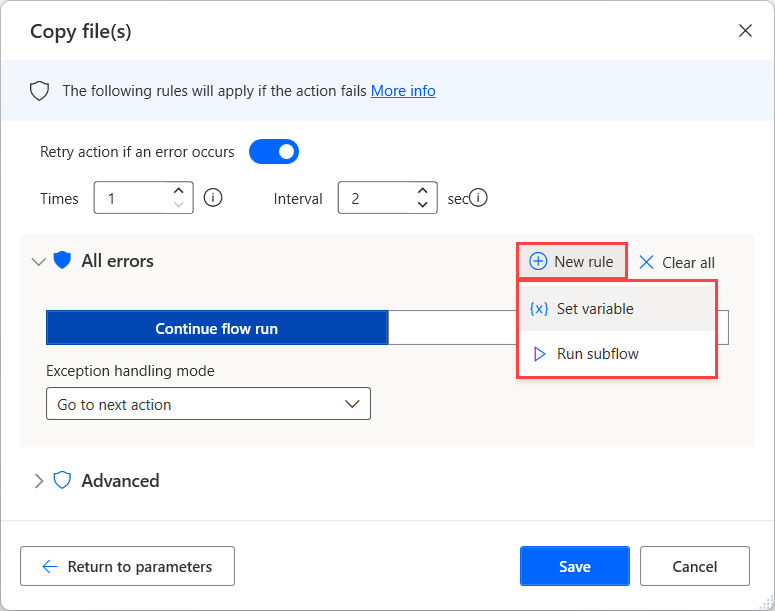
Microsoft documents error-handling rules for specific action errors in desktop flows. Prefer a response tied to a known condition over a broad rule that ignores everything. Check the error types exposed by your actual action and version before designing around a screenshot.
Protect downstream assumptions
If a required input failed to load, later steps should not run as though it exists. Continuing may be appropriate for an optional enrichment field, but not for a missing destination or approval. Write down which outputs are essential and how the workflow represents an incomplete result.
Review repeated exceptions
A pattern of missing inputs may require a better intake form. Frequent access failures may indicate an ownership or connection problem. Do not keep increasing retries to compensate for a persistent design defect. Review the exception log periodically and remove recovery rules that no longer match the process.
Working template
Temporary dependency -> bounded retry, then review
Invalid required input -> return for correction
Access/configuration -> stop and notify maintainer
Optional enrichment unavailable -> continue with a visible missing-value marker, if the process permits
Uncertain external outcome -> inspect before repeating
Illustrative starting point. Adapt it to your inputs, permissions and review process.
Before you use it
- Rules match specific conditions.
- Required outputs are protected.
- Continuing leaves a visible incomplete state.
- Recurring errors trigger a design review.