Workflow Design
A recurring task usually breaks at the handoff: missing information, unclear ownership or no definition of done. Map those points before connecting applications.
Describe a real recurring request
Choose one ordinary process, such as collecting a weekly project update. Write down who starts it, what information arrives and what someone does next. Avoid starting with “automate everything in Teams”. A narrow process gives you a boundary for testing and a practical way to decide whether the automation helped.
Draw the states in plain language
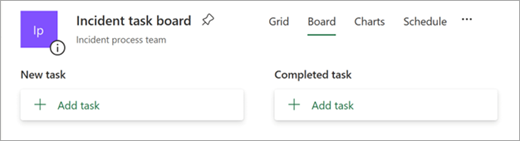
A small state list might be received, needs information, ready for review and complete. Define what moves an item between states. A Planner board can make those states visible, but the board itself does not decide whether an item is complete. Microsoft’s Updates documentation includes an example of creating Planner tasks from submissions; our handoff map is a planning step before implementation.
Assign the exception path
If an update lacks a project reference, who asks for it? If the usual reviewer is unavailable, where does the item wait? Write those answers before building the happy path. Otherwise the automation may move incomplete work faster while making the missing ownership harder to see.
Try the map manually
Walk three example requests through the states, including an incomplete one. Ask the receiving person whether the information is enough to act. Adjust the fields and completion criteria before creating integrations. A successful manual rehearsal is not proof that the software will work, but it removes ambiguity that software cannot solve for you.
Working template
Process: Weekly project update
Trigger: Approved form submitted
Required input: Project ID, status, blocker, next action
Next owner: Project coordinator
Completion evidence: Reviewed update linked from the project record
Exception: Missing ID -> return for clarification
Fallback: Coordinator reviews the pending queue manually
Illustrative starting point. Adapt it to your inputs, permissions and review process.
Before you use it
- Each handoff has an owner.
- Required fields have a purpose.
- Incomplete requests have a route.
- Completion has visible evidence.