Automation Reliability
The first useful question after a failed automation is where the expected state stopped matching the actual state. Start with the error record before changing several actions.
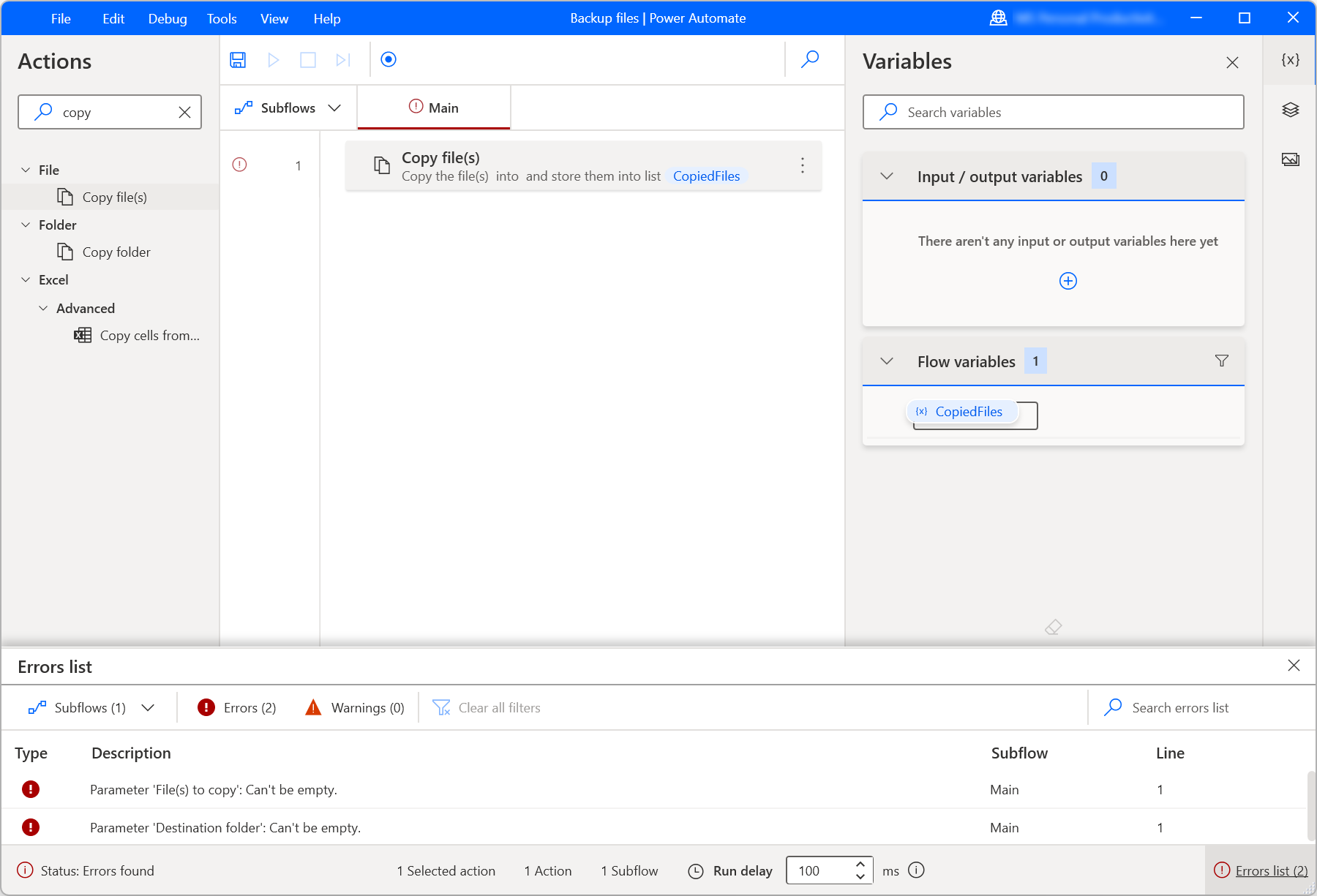
Capture the location of the failure
Microsoft’s desktop-flow documentation describes an errors pane with details such as the error description, subflow and line. Use those fields to locate the failing action. Record the input category and expected result without copying passwords or private document contents into a broad incident log.
Check the assumptions just before the action
Was the expected window open? Did the file exist? Was the required field populated? A downstream error can be caused by an earlier step that produced an unexpected result. Compare the actual state with the smallest set of assumptions needed by the action rather than treating every failure as a product bug.
Change one cause at a time
If you change timing, selectors and input data together, a successful rerun tells you little about the cause. Keep a short note of the observed failure and the single change being tested. Use non-sensitive sample data where possible and avoid rerunning steps that could duplicate external effects.
Close the loop with a prevention note
After the immediate issue is resolved, decide whether to improve input validation, an error message or the manual recovery instructions. Some failures are rare enough that a clear runbook is better than elaborate automatic recovery. Record the evidence that the target result is correct, not merely that the flow now displays success.
Working template
Diagnostic note
Run reference and time:
Failing subflow / action:
Expected state:
Observed state:
Relevant input category (no secrets):
Single change tested:
Target-system result:
Prevention or recovery note:
Illustrative starting point. Adapt it to your inputs, permissions and review process.
Before you use it
- The failing location is recorded.
- Earlier assumptions were checked.
- Only one suspected cause changed.
- The final business result was verified.